What should you know?
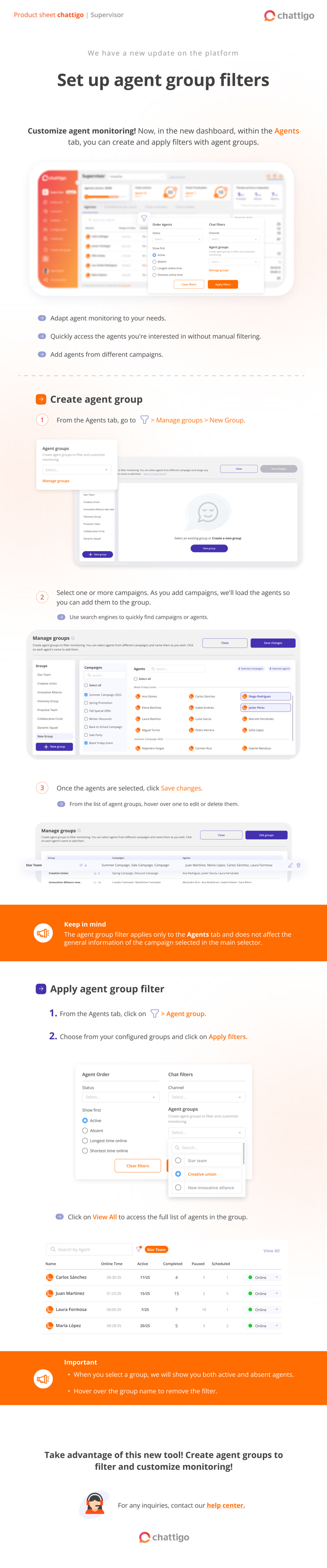
You can generate monitoring groups by adding agents from the campaigns assigned to you as a supervisor.
Important 📢
-
When selecting a group, both active and absent agents will be shown.
-
If you hover over the group name, you can easily remove the filter.